Suitable options without the long search
Occupancy, price and requested amenities inform the selection. Where genuine alternatives exist, an offer can show up to three options: best match, lowest price and a suitable upgrade.

OfferFlow / Direct sales for hotels & apartments
OfferFlow
The Auto-Engine checks availability, prepares suitable offers with upgrade options and follows up. Targeted discounts can help guests decide. Vouchers give them a reason to book directly again.
Automatic where it fits. With approvals where you want to decide.
Already using OfferFlow? Sign in ↗Example workflow · fictional data
A suitable room and an optional upgrade, side by side.
Example with optional features. Sending, discounts and marketing follow your settings and approval rules.
01 / At the heart: the Auto-Engine
An enquiry arrives. The Auto-Engine checks availability, direct rates and guest preferences, puts together suitable options and sends the offer according to your rules. Your team can focus on guests who need personal advice.
Occupancy, price and requested amenities inform the selection. Where genuine alternatives exist, an offer can show up to three options: best match, lowest price and a suitable upgrade.
OfferFlow sends a reminder before the offer expires. Available alternative dates can follow, and a later reactivation email leads back to the enquiry form. Each stage can be configured separately.
In test mode, offers remain drafts. Offers above your value or party-size thresholds require approval. Your team can review and edit offers in the builder.
02 / The everyday benefits
Booking value
Present a higher-value alternative within the offer. Guests see the additional benefits and price difference and can make an informed choice.
Targeted incentives
An optional upgrade discount or an incentive in the reminder email can help guests decide. You set the rules and exceptions; follow-ups can also be sent without an extra discount.
The next stay
Personal vouchers in campaigns or birthday emails give past guests a specific reason for their next direct booking. You control the audience, conditions and approvals.
Less manual follow-up
Reminders, alternative dates and reactivation emails keep the conversation going. Your team sees the status and history and can step in when a personal call would help.
03 / The complete picture
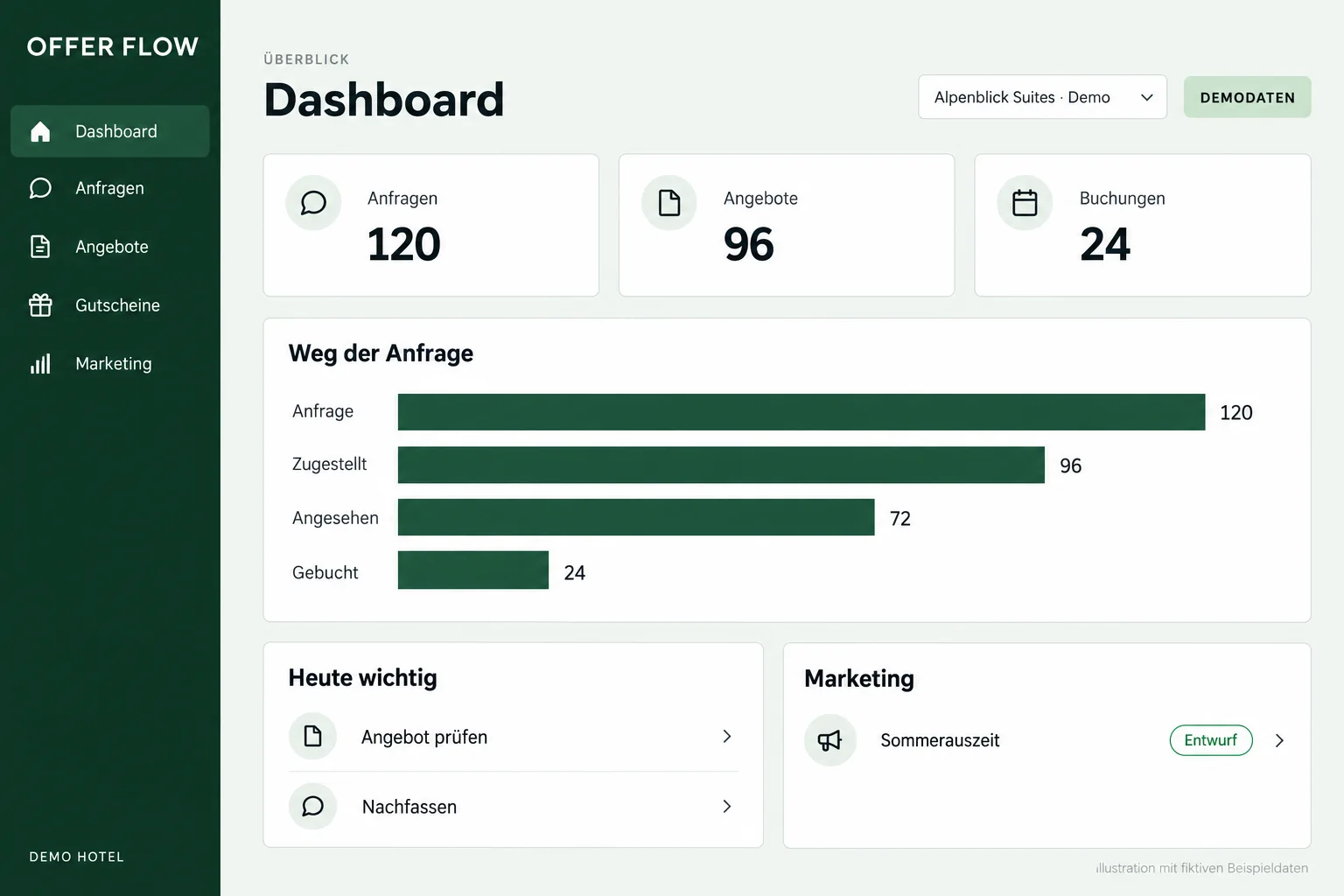
Offer status, bookings and campaign results come together in one overview. Your team can see where to step in.
04 / Marketing & guest retention
The marketing module brings together guest segments, newsletters and voucher campaigns. Give past guests a relevant reason to plan their next stay.
Summer guests, families or returning guests, for example: segments use connected stay data and can be filtered by property.
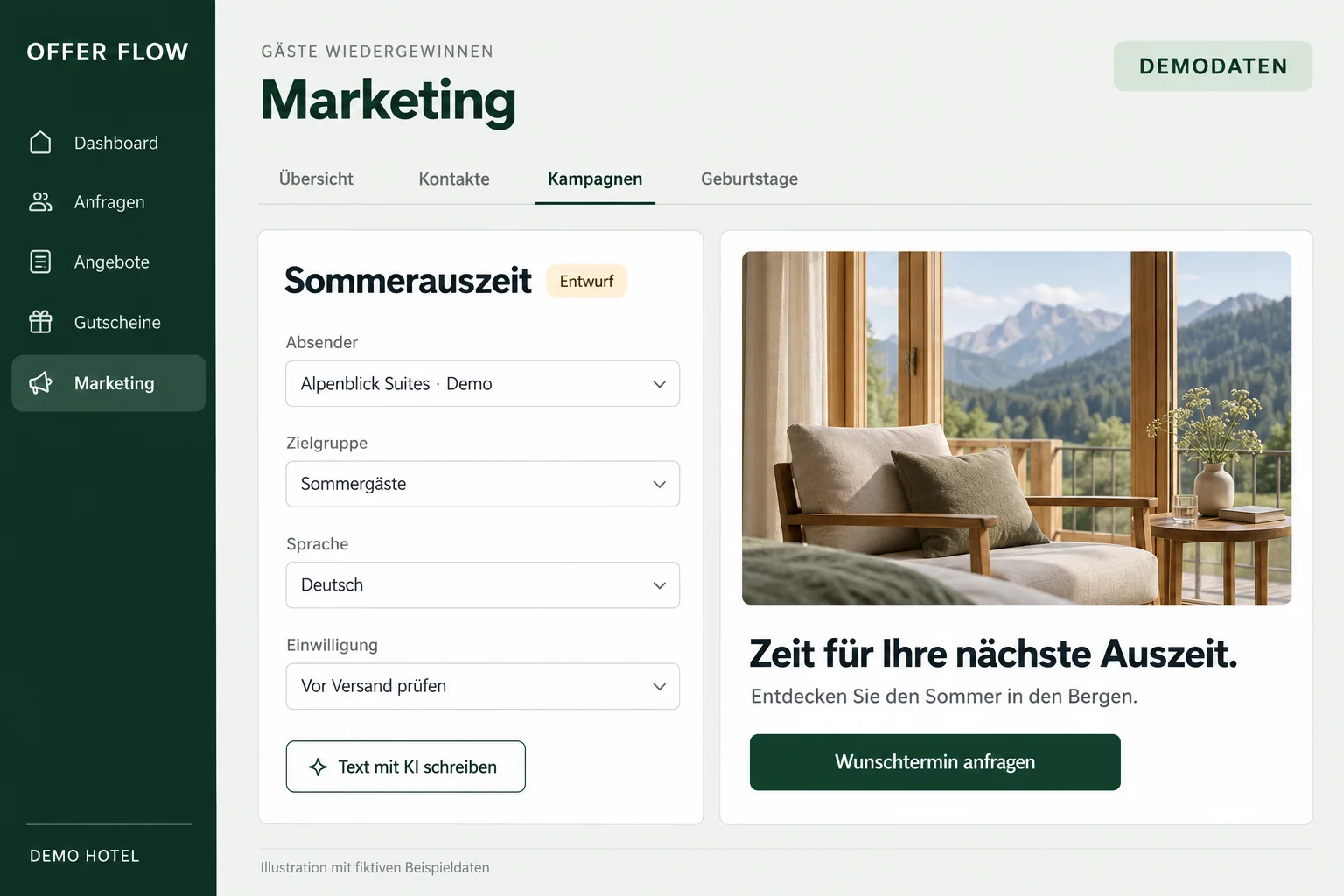
Prepare newsletters, seasonal offers, event campaigns and birthday vouchers. Adapt the design and copy to your property.
Campaign links and redeemed vouchers show attributed enquiries, bookings and revenue.
05 / AI assistance
AI assists at clearly defined points in the workflow. These features are optional and are set up using your own OpenAI or Anthropic account.
Extract dates, party size and preferences from emails. Unclear or conflicting details are referred to your team for review.
Create drafts for newsletters, campaigns and birthday emails. Your team refines the tone, content and offer.
Get suggestions for events near your properties, with sources. Dates are checked before being marked as confirmed.
Automated offers follow the configured rules. AI suggestions and researched dates go through the appropriate review steps.
06 / Connected to your systems
Use properties, availability and rates, and create bookings from offers. OfferFlow can be embedded in the account and property menus in Apaleo One.
Add an enquiry form as a link or embed, and bring email enquiries into the offer workflow.
Use guest segments with your configured data source from Apaleo or the cockpit connection. Chatlyn consent and unsubscribes can be taken into account through the cockpit.
With a configured Chatlyn integration, your website AI can show suitable options and pass an enquiry to OfferFlow after explicit guest confirmation. Features depend on your plan, accounts and connections. Other PMS integrations are assessed individually.
Regular prices exclude VAT and apply per Apaleo account. All rentable rooms and apartments across connected properties count together. Pricing is progressive: each unit is charged at the rate for its tier.
From €59 per month
From €590 per year, paid upfront.
Enquiries, offer builder, Auto-Engine, follow-ups, vouchers and direct booking in Apaleo. Dashboard, team roles and optional AI assistance with your own provider account.
From €119 per month
From €1,190 per year, paid upfront.
Everything in OfferFlow, plus guest CRM, segments, newsletters, voucher campaigns, birthday and post-stay campaigns, and AI assistance for marketing.
| Units in the account | OfferFlow | Plus |
|---|---|---|
| 1–20 | 3,60 € | 7,20 € |
| 21–50 | 3,00 € | 6,00 € |
| 51–100 | 2,40 € | 4,80 € |
| 101 onwards | 1,80 € | 3,60 € |
Monthly minimum: €59 for OfferFlow, €119 for Plus. Monthly plans can be cancelled monthly. Annual upfront payment: ten monthly fees for twelve months. Example for 30 units: €102 / €204 per month or €1,020 / €2,040 per year. Invoicing is handled externally.
Self-service setup is included. Optional setup by DTO for one property with prepared content costs €990 for OfferFlow or €1,490 for Plus, excluding VAT, once. Additional properties and services are agreed separately. Your AI provider may charge separately for usage.
Guided setup is available in German and English. Your team checks the result before switching on live automation.
Register, verify your email and set up your workspace. Connect Apaleo and select your properties. Connection through the Store requires Apaleo certification.
Choose direct rate plans and VAT rates. Configure room content, branding, city tax, terms and sender details.
Review the price summary in your workspace and choose a plan. The owner confirms the platform documents in the setup wizard.
Check a test offer in dry-run mode. Automated offers remain drafts in test mode. Offers sent manually reach real guests. Activate live sending deliberately.
You need an OfferFlow workspace and an Apaleo user with the permissions required for your properties. These are two separate logins. Prepare your direct rate plans, tax rates, room content, branding and sender address. Use an Apaleo test account and internal test email addresses for a complete booking test.
OfferFlow reads properties and room categories (setup.read), rates and offers (rates.read, offers.read), and availability (availability.read). Reservation permissions support creating bookings and reading reservation status or stay history (reservations.manage, reservations.read). openid and profile identify the connecting user; offline_access keeps the connection active. integration:ui-integrations.manage supports embedding OfferFlow in Apaleo One. Review the displayed permissions before granting access.
Open OfferFlow in its own browser tab. Sign in to the correct workspace and choose “Connect with Apaleo” in the setup wizard or Settings → Apaleo & properties. Select the correct Apaleo account and approve the permissions. On your return, check the connection status and property selection. Configure direct rate plans, taxes, content and sender details. Check a test offer, its email/PDF and the guest page. A complete test booking must then appear in your Apaleo test account with the correct details and amounts.
Create offers manually or work through incoming enquiries. Activate the Auto-Engine only after checking its settings; in test mode, automatic offers remain drafts. Manually sent offers and their follow-up emails go to the addresses you enter. OfferFlow refreshes its Apaleo access in the background. If the connection is shown as interrupted, check the Apaleo permissions and reconnect the same account. If a booking result is unclear, first check the reservation in Apaleo before trying to book again.
Review open offers, sending and campaigns first. Disconnect in OfferFlow under Settings → Apaleo & properties. OfferFlow removes its stored Apaleo access and attempts to remove its webhook subscriptions and Apaleo One entries. Check the completion message; if it reports remaining entries, have them checked in your Apaleo account. Alternatively, an Apaleo administrator can revoke access under “Connected apps”. Disconnecting does not automatically cancel your platform contract or delete all data. Contact support about contracts, exports and deletion; the linked platform documents apply.
The full handbook is available under Help after signing in. Contact OfferFlow support by email.
OfferFlow extends Apaleo with an offer and direct sales workflow. Availability and rates come from Apaleo, and bookings are created there.
You can start with manual offers and a test mode. Approval thresholds and follow-up rules are configured for your operation.
The base plan includes the offer workflow, Auto-Engine and optional AI assistance. Marketing is included in OfferFlow Plus. AI requires your own provider account and may incur separate usage charges.
All properties, campaigns and figures shown are fictional. The images are simplified product illustrations and contain no customer data.
OfferFlow for your operation
Together, we identify which steps OfferFlow can handle and which modules suit your properties.
Get to know OfferFlow